
Method
Energy simulation for buildings and homes
Energy simulation calculates energy use, peak loads and indoor temperature hour by hour or quarter hour by quarter hour through a full year. It gives a more realistic picture of both buildings and homes than a simple monthly calculation, especially when solar gains, internal loads and system controls vary through the day.
How dynamic simulation differs from simpler methods
A steady-state or monthly method adds up heat losses and gains over long periods and uses factors to estimate how much of the solar and internal heat can be used. A dynamic simulation solves the heat balance for every zone and every hour. It accounts for concrete, floors and walls storing heat, for the sun hitting each facade differently through the day, and for ventilation, heating and cooling following operating hours and set points.
- Better answers for buildings with large glazing, high internal loads or cooling needs
- Shows energy need, peak loads and hours of overheating
- Lets you compare upgrades that change controls and operating hours, not just insulation
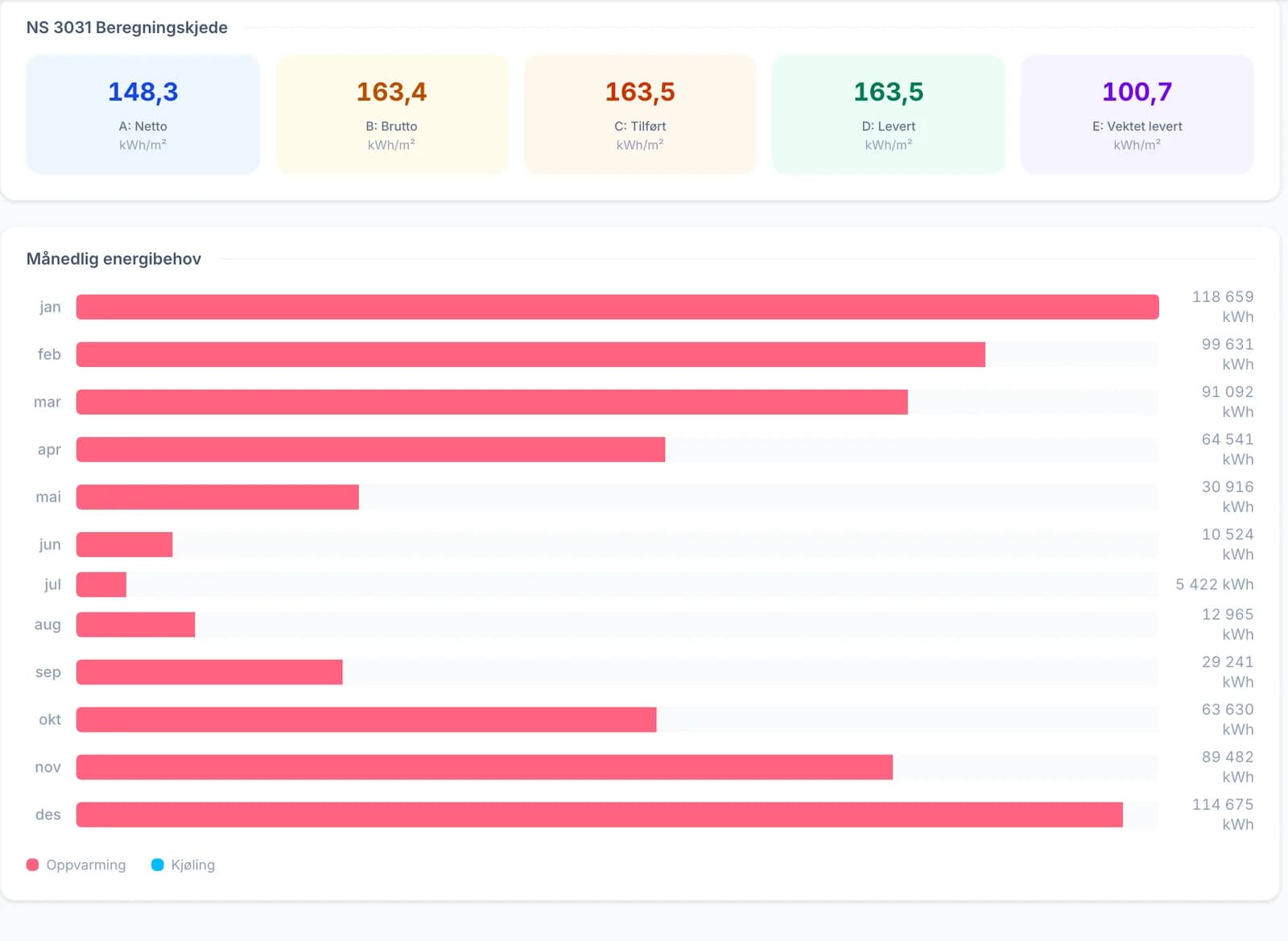
The standards behind dynamic simulation
The European hourly method is described in NS-EN ISO 52016-1, which replaces the older ISO 13790. In Norway, NS 3031 supplies the national input data: climate data, operating hours, internal loads and set points for each building category. NS 3031:2025 allows the method in NS-EN ISO 52016-1 or another dynamic program validated against the reference cases in NS-EN 15265:2007 to at least accuracy level C, that is within ±15 percent of the reference calculation (Annex S). Many also use the international BESTEST cases to show that the model calculates correctly.
Hour by hour or quarter hour by quarter hour
A dynamic energy simulation can be calculated hour by hour or quarter hour by quarter hour. Shorter time steps give a more detailed picture of peak loads, controls and batteries.
The model determines the quality
A simulation is never better than its input. The most common sources of error are wrong areas and orientation, U-values that do not match the constructions, missing thermal bridges and technical systems with optimistic efficiencies. Good software makes the model easy to see, shows where each value comes from and stops you before you calculate on incomplete data.
How Proff handles it
Dynamic simulation without heavy modeling
The calculation engine in Proff solves the heat balance under NS-EN ISO 52016-1 with national input data from NS 3031:2025, and is checked against NS-EN 15265 and BESTEST.
- Zones, walls, windows and doors are read from the floor plan with AI, or imported from IFC and gbXML
- Multiple zones with thermal coupling between them, for all 13 building categories
- Quality checks on the model before the simulation starts
- Results for net energy need, delivered energy, peak loads and indoor temperature
Questions and answers
Energy calculation is the umbrella term. Energy simulation usually refers to dynamic calculations where the building is calculated in short time steps, typically hour by hour or quarter hour by quarter hour, as opposed to simpler steady-state or monthly methods.
Sources and regulations
Always check the current version of regulations and standards before using the numbers in a project.
Read next
NS 3031:2025 and energy performance calculation
The standard every Norwegian energy calculation is built on, and what is new in the 2025 edition.
Peak loads and overheating in buildings
Design heating and cooling loads, and hours with too high indoor temperature.
Building energy calculation software
What to require from software for energy calculation and energy simulation.
Spend your time on judgment, not data entry
Proff gathers available building data, reads floor plans and builds an editable model, so you can calculate everything from houses to hospitals without the detours.